
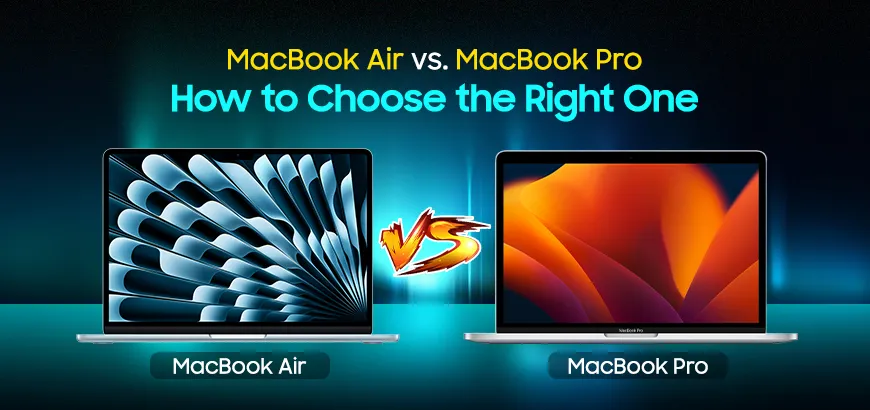
Choosing between the MacBook Air and MacBook Pro depends on what you need most. It may be performance, portability, battery life, or long-term productivity. Apple now offers both models with powerful M-series chips, giving you fast speed and excellent efficiency. The MacBook Air is designed for ultimate portability, featuring a lightweight build that makes it easy to carry anywhere. Its sleek appearance is complemented by amazing battery life and the effortless handling of daily tasks.
The MacBook Pro is designed for professionals who require more power, improved cooling, and enhanced graphics capabilities. In this guide, we compare both MacBook models with clear and simple points based on the features in the mind map. Take a closer look at the detailed features of each model. This breakdown will help you understand their strengths before making a final choice.
Table of Contents
- Choosing the Right MacBook for Performance Needs
- Portability and Power: Weight and Battery Life
- Display Quality and Audio Experience
- Display and Resolution: Liquid Retina vs. XDR
- A Closer Look at Cost and Hardware Details
- Ports and Multi-Display Support: Building Your Workspace
- MacBook Air vs. Pro: Understanding Apple’s Update
- MacBook Air vs. MacBook Pro Specs Comparison
- MacBook Air vs. MacBook Pro: Which one should you buy?
- Final Thoughts: MacBook Air or MacBook Pro?
Choosing the Right MacBook for Performance Needs
During a detailed comparison, performance is often the first thing users notice. A major point that divides the MacBook Air from the MacBook Pro. The MacBook Pro and Air use Apple’s efficient M-series chips, giving fast everyday performance with silent, fanless cooling. Last launched by Apple, MacBook Air M4 chips handle browsing, office tasks, entertainment, and light creative work without trouble. The MacBook Pro is built for heavier workloads like video editing, advanced coding, and 3D rendering.
MacBook Pro M4, M4 Pro, M4 Max, and M5 chips have stronger CPUs and GPUs, better thermal control, and features like Dynamic Caching for GPU optimization. If you use demanding apps, the MacBook Pro offers more speed and stability.
Portability and Power: Weight and Battery Life
Weight and battery life are two areas where the MacBook Air stands out. It is thin, very light, and easy to carry. This makes it a great choice for students, travelers, and office users who want comfort and mobility. Even with its slim design, the MacBook Air delivers strong battery life and smooth daily performance. They have, including the 2025 MacBook Air M4 models, experienced normal heating rather than massive overheating under typical use, thanks to their efficient fanless design with passive cooling.
The MacBook Pro is heavier due to its powerful hardware, larger battery, and advanced cooling system. This device can deliver some of the best battery durability of any laptop, particularly when running demanding tasks. Your choice depends on which you prefer: portability or power. CCTV Shop provides both models to fit different professional needs. Students can expect all-day battery backup on campus from both models. The Pro offers the longest life with extraordinary performance.
Display Quality and Audio Experience
The best MacBook Air and Pro models offer a sharp and attractive Liquid Retina display that works well for streaming, photo editing, and everyday tasks. Its speakers are balanced and deliver clean, pleasant sound. The MacBook Pro takes things extra with a brighter and more color-accurate screen. MacBook Pro with Liquid Retina XDR provides excellent HDR, deeper contrast, and better detail, making it ideal for editors and designers.
The MacBook Pro features a six-speaker system with enhanced bass and a wider soundstage, offering a more immersive experience. If you want top-tier display quality and powerful speakers, the MacBook Pro is the better option.
Display and Resolution: Liquid Retina vs. XDR
The Liquid Retina display on the MacBook Air suits everyday tasks and general professionals. It provides crisp visuals, smooth colors, and excellent brightness, supporting one billion colors. As compared to the Liquid Retina XDR on the MacBook Pro is a significant upgrade. It delivers industry-leading HDR performance. This includes up to 1,600 nits peak HDR brightness and a remarkable 1,000,000:1 contrast ratio. This makes it the essential choice for creative professionals who require the highest display accuracy.
A Closer Look at Cost and Hardware Details
The MacBook Air is the more affordable choice and offers excellent value. It comes with high-quality components, long battery life, and strong performance for its price. This makes it perfect for users who want a premium laptop on a lower budget. The MacBook Pro costs more because it includes faster processors, better graphics, advanced cooling, and a better display.
MacBook Pro also performs better during heavy workloads. Professionals who need long-term reliability and quicker rendering will find the Pro worth the investment. CCTV Shop offers many configurations of both models, making it easy to pick one that fits your budget and performance needs.
Ports and Multi-Display Support: Building Your Workspace
Connectivity differences are critical for professional users. The MacBook Air prioritizes thinness and mobility. It includes a MagSafe port and two Thunderbolt/USB 4 ports. Crucially, the Air supports only one external display alongside its built-in screen. This setup suits general users and students well.
In contrast, the MacBook Pro is designed to be expandable. It offers three Thunderbolt ports, a dedicated HDMI port, and an SDXC card slot. More importantly, Pro models, especially M4 Pro/Max, handle two or more high-resolution external displays. This versatility makes the Pro mandatory for developers, editors, and anyone requiring a powerful, expansive desk setup.
MacBook Air vs. Pro: Understanding Apple’s Update
Apple's update schedule is crucial when choosing between the MacBook Air and the Pro. The MacBook Air sees more frequent refreshes, targeting a wide user base and emphasizing efficiency. This makes it a great choice for those prioritizing newer, lower-cost hardware updates.
As compared to the MacBook Air, the MacBook Pro is updated less often, yet each refresh brings substantial improvements. These typically involve enhanced power, graphics, and thermal management. Consequently, many professionals select the Pro for superior long-term stability and performance.
MacBook Air vs. MacBook Pro Specs Comparison
| Aspect | MacBook Air | MacBook Pro |
|---|---|---|
| Design | Ultra-thin, lightweight | Slightly bulkier, built for creators |
| Performance | M4 chip | M4, M4 Pro, M4 Max, and M5 chip |
| Battery Life | Up to 18 hours | Up to 24 hours |
| Size Options | 13.6-inch 15.3-inch | 14.2-inch 16.2-inch |
| Panel Type | Liquid Retina | Liquid Retina XDR | mini-LED backlit display |
| Brightness | 500 nits | 1600 nits |
| Refresh Rate | 60 Hz | 120 Hz (ProMotion) |
| Build | Aluminum | Aluminum |
MacBook Air vs. MacBook Pro: Which one should you buy?
The best MacBook depends entirely on your daily needs. If you want a lightweight, affordable laptop for general work, the MacBook Air is ideal. It offers solid performance, long battery life, and a compact design that suits most users. For those needing a larger screen without the Pro's cost. The 15-inch Air is an excellent value option, perfect for students and casual creators.
On the other hand, the MacBook Pro is built for power users who need superior performance. With the M4 or new M5 chip MacBook PRO, it handles intensive tasks like video editing, 3D rendering, and software development effortlessly. The Pro features a brighter XDR display, active cooling, and longer battery life under heavy workloads. For professional creators and developers, the MacBook Pro justifies its higher price with exceptional power.
Final Thoughts: MacBook Air or MacBook Pro?
Choose the MacBook Air if you prioritize portability, silence, and affordability for everyday tasks. It is best for browsing, general productivity, and entertainment, making it perfect for students and frequent travelers. Select the MacBook Pro if you require a true powerhouse. This is necessary for demanding jobs like heavy video editing, advanced design, or engineering.
The Pro features stronger processors, better cooling, and a superior XDR display for stable, intense performance. You can compare all options at CCTV Shop for expert help matching the ideal MacBook to your life and work. CCTV Shop is the trusted place for buying MacBooks and also offers EMI installments to purchase your new Macs.
Frequently Asked Questions (FAQs)
What's the main difference between MacBook Air and Pro?
The Pro offers more powerful processors, active cooling, brighter XDR displays, and better performance for intensive tasks. The Air is fanless, lighter, and more affordable for everyday use.
Which MacBook is better for students?
The MacBook Air M3 and M4 support one external display. The MacBook Pro supports two or more, making it better for multi-monitor setups.
Can I connect multiple external monitors to a MacBook?
The MacBook Air M3 and M4 support one external display. The MacBook Pro supports two or more, making it better for multi-monitor setups.
Which MacBook model is best?
The MacBook Air is the best model for most users. It strikes a perfect balance between price, power, and portability for daily tasks. But the MacBook Pro is a better choice for a performance-based user.

Comments
There are no comments for this Article.